The session, end to end

A night never goes exactly to plan. The session should not either.

Pause, extend, transfer, change the player count, take money up front, or stop and settle later — every one of them a button, with the bill keeping up.

7

things you can do mid-session

0

sessions lost to a change of plan

Every change

kept on the timeline

Start it the way the customer asked for it.

Pick a duration or run it open-ended, and see the estimated cost before anything begins.

  • 30 minutes, an hour, 90 minutes, two hours, or a custom length
  • Or open — no end time, billed on what they actually play
  • The estimate shows before you commit, so there is no surprise later
  • Assign it to a member now, or leave it as a walk-in
Floor — Level 114 of 18 busy
Screen - 4 Active
Elapsed12:54 Left47:06
Snooker - 1 Active
Elapsed24:52 Open--:--
Pool - 2 Open
Tap to start
Cockpit - 1 Active
Elapsed01:16 Left28:44
Pause is not a discount. It is just honest.

Someone steps out for a call or a smoke. Paused time is frozen, not billed, and the timer picks up exactly where it left off.

  • Played time excludes every pause
  • A paused session shows as paused on the floor, not as free
  • Resume returns it to the floor with the clock intact

The five buttons that save an argument at the counter.

Each of these is a normal thing that happens on a busy floor, and each is one action rather than a recalculation.

Mid-session actions

Extend
Add time to a running session, priced by the same profile
Transfer
Move to another device — the bill and the timer move too
Players
Change the count; each stretch bills at its own rate
Advance
Take money up front, cash or UPI or both, before settling
Stop
End play now and settle later, without holding the device

Order to the table without leaving the session.

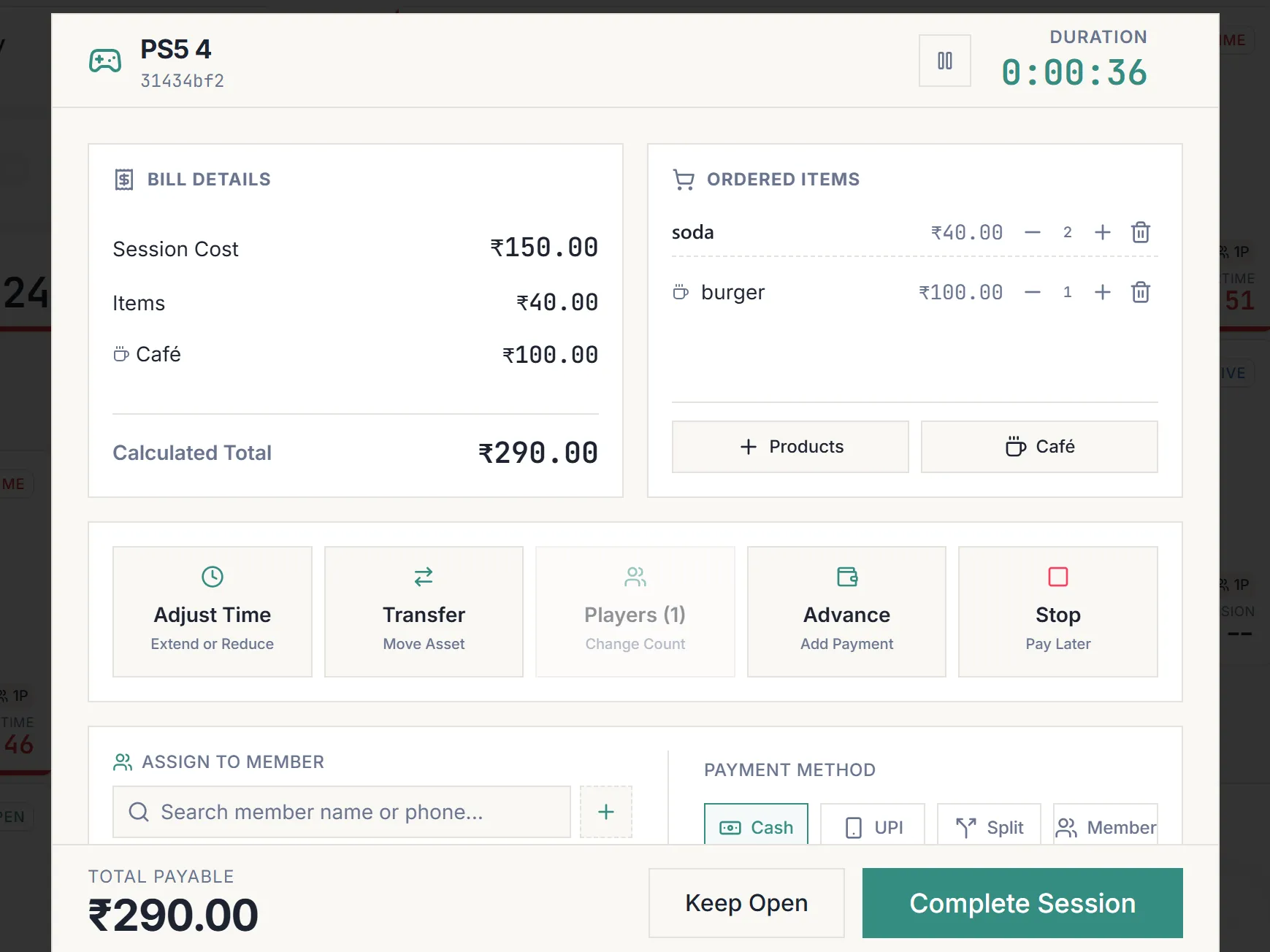
A group mid-match wants two coffees and a packet of chips. Staff add them from inside the open session, the kitchen gets its ticket, and everything settles together at the end.

  • Add café items or products onto a running session
  • The kitchen ticket fires from there, carrying the device name
  • Items and seat time appear on one bill, not two
Adding café items and products to an open session from the session dialog.

However they want to pay, and whatever you decide to knock off.

Cash, UPI, a split across both, a member’s wallet, or straight onto their tab. A discount is allowed but it asks why, and the reason is kept with the bill.

Settling a session

Payment
Cash, UPI, split across both, wallet, or onto a member tab
Advance
Take money up front and let it count against the final bill
Override
Change the total, with a reason recorded against it
Keep open
Stop the clock and leave it unpaid in Pending Sessions

Nothing walks out unsettled.

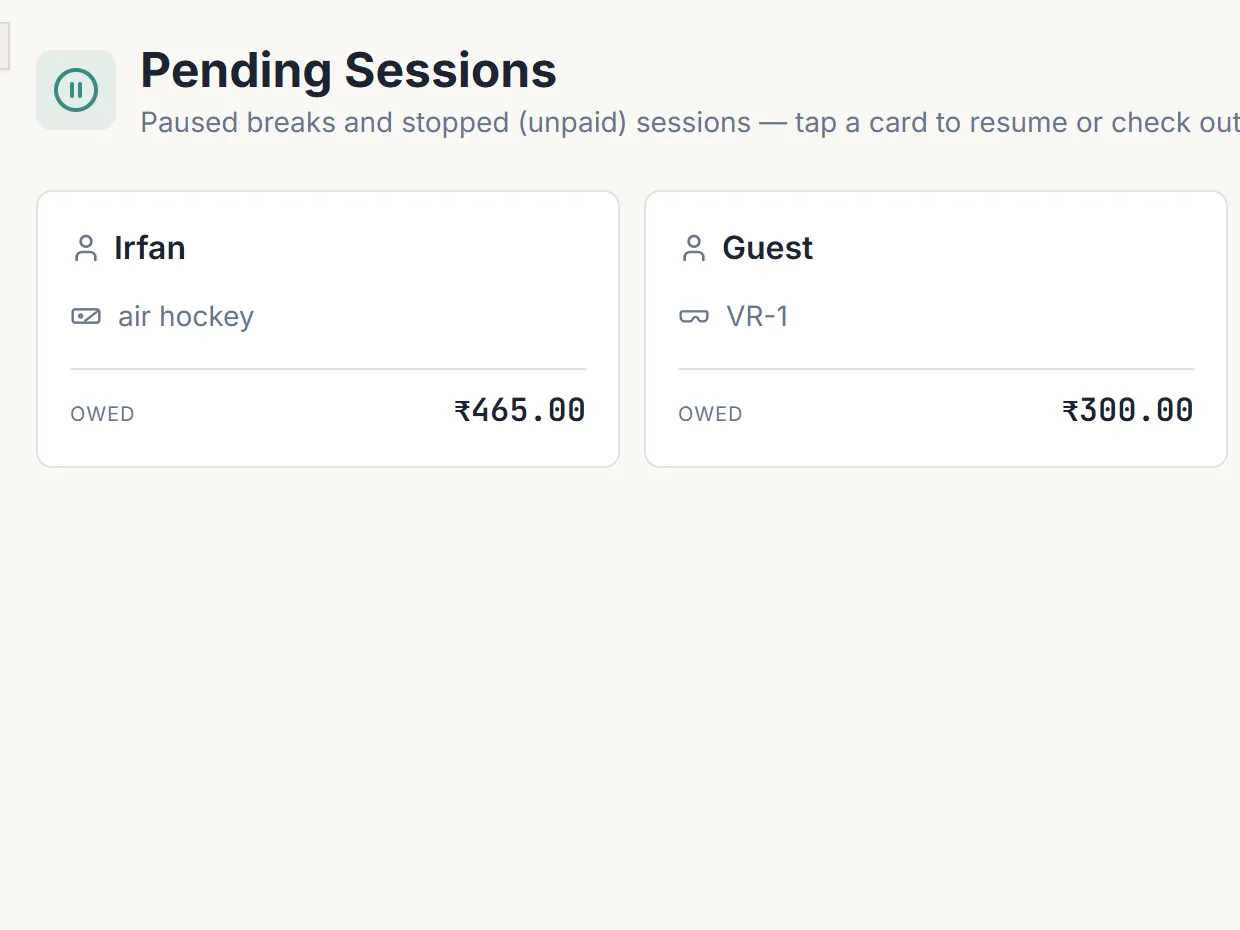
A session stopped without payment does not vanish — it moves to Pending, where it waits with everything else that is still owed.

  • Paused and stopped sessions collect in one place
  • Settle from there whenever the customer comes back to the counter
  • A recovered payment counts on the day it was actually collected
  • The device is freed immediately, so the seat can be resold
The Pending Sessions screen listing paused and stopped sessions with the device each was on and the amount still owed.

What you get with session controls

  • Start & estimate
  • Pause & resume
  • Extend
  • Transfer
  • Change players
  • Advance payment
  • Stop & settle later
  • Pending queue

Your next shift could be the first one you can actually account for.

Ten minutes on a call and you will know whether it fits your floor. If it does, the first month is free and we set it up with you.

Free, ten minutes, and no obligation to sign up.

Would rather just talk? Chat on WhatsApp.

PlayVerse has really saved our time. Managing the café is much easier now.
Imran — Legacy 8

Book a free 10-minute demo

See how PlayVerse would run your floor. We will message you on WhatsApp to fix a time.

Tell us a bit more (optional — helps us tailor the demo)